How to Choose a Baby Monitor: Audio, Video, Wi-Fi
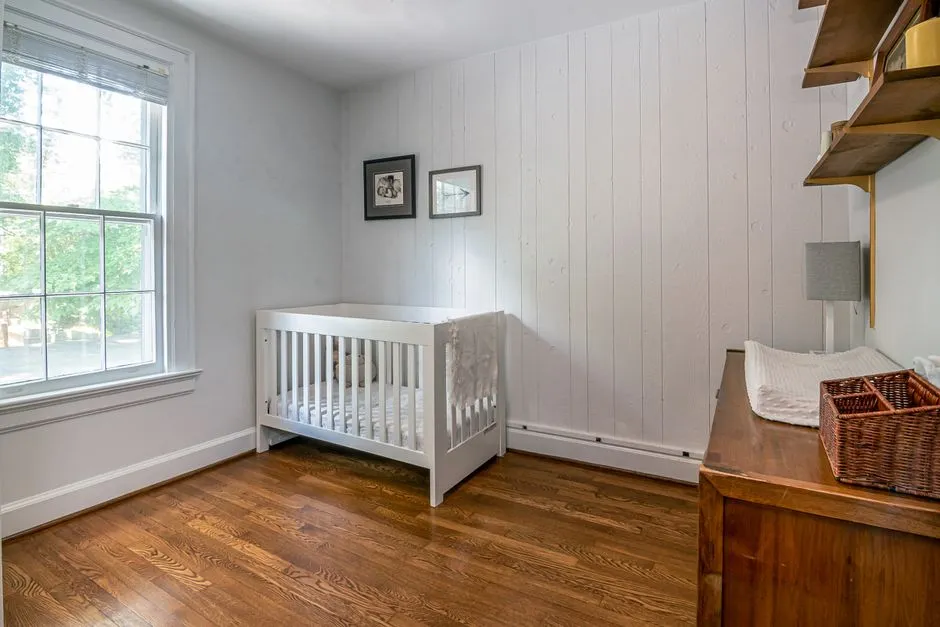
- Choose the simplest monitor that reliably fits your home
- Audio, local video, and Wi-Fi compared
- The safety rule that outranks camera angle
- A monitor does not prevent SIDS
- Range claims need a home test
- Features worth paying for
- Features to treat cautiously
- Secure a Wi-Fi monitor before use
- Plan placement before buying
- A practical buying scorecard
Choose the simplest monitor that reliably fits your home
A baby monitor has one practical job: help you hear or see your baby when you are in another part of the home. Audio-only monitors do that with the least complexity. Local video monitors add a dedicated screen. Wi-Fi models add phone access, remote viewing, and more privacy and setup decisions.
Start with your floor plan, not the feature list. Decide where the baby sleeps, where caregivers spend time, how many walls the signal crosses, whether you need a second camera, and whether anyone genuinely needs access from outside the home. Then prioritize reliable alerts and clear sound over wellness scores or decorative dashboards.
A monitor is a convenience tool. It does not replace direct supervision, a firm flat sleep surface, back sleeping, or a bare crib. Our safe-sleep setup guide covers those non-negotiables.
Audio, local video, and Wi-Fi compared
| Type | Best fit | Main advantage | Main tradeoff |
|---|---|---|---|
| Audio-only | Small home, simple needs | Low cost and long receiver battery | No visual check |
| Local video | Dedicated parent screen | Works without internet viewing | Limited to local radio range |
| Wi-Fi video | Phone access and remote sharing | View away from home | Account, network, and update security |
| Hybrid | Local screen plus optional app | Flexible access | Higher cost and more settings |
Audio-only
An audio monitor is enough when you need to hear crying, stirring, or a caregiver entering the room. Look for intelligible sound at low volume, adjustable sensitivity, a visual sound indicator, out-of-range warning, and a receiver battery that covers your normal evening.
Fewer features mean fewer settings to fail at 2 a.m. Audio also collects less revealing information than a bedroom camera, although any wireless device still deserves careful pairing and placement.
Local video
A local video monitor sends to its own handheld parent unit rather than requiring a phone app for ordinary viewing. It is useful when you want a quick picture, need to preserve phone battery, or prefer not to connect a nursery camera to the internet.
“Non-Wi-Fi” is not the same as invulnerable. The camera and receiver still communicate wirelessly. Confirm that the system uses secure pairing and does not make it easy to attach an unknown receiver. Keep firmware current when the manufacturer provides an update method.
Wi-Fi video
Wi-Fi monitors connect through your home network and an account. They can make sense for caregivers who need authorized access from different locations, want notifications on a phone, or need recordings stored locally or in a cloud service.
The convenience expands the security surface. The camera, app, account, router, cloud service, and every shared user matter. Choose a manufacturer that explains encryption, multifactor authentication, update support, deletion, and what happens to recordings. If those answers are absent, a prettier app is not compensation.
The safety rule that outranks camera angle
The U.S. Consumer Product Safety Commission says all baby-monitor cords and parts should remain at least 3 feet from every part of the crib, bassinet, play yard, or other sleep environment. Never put the camera or monitor inside the sleep space or balance it on the rail.
That distance is a minimum, not a reason to stretch a loose cord across a reachable route. Secure cords to the wall according to the monitor's instructions, keep adapters and extension connections inaccessible, and remove slack. Do not use a makeshift shelf, adhesive hook, or mount directly above the baby unless the manufacturer explicitly approves the installation and every part remains secure and unreachable.
Recheck when the crib moves or the baby begins rolling, sitting, standing, and reaching. A camera that was unreachable to a newborn can become accessible to a determined older baby.
A monitor does not prevent SIDS
Consumer movement, oxygen, breathing, or heart-rate features can sound medical without being medical devices. The American Academy of Pediatrics says home cardiorespiratory monitors should not be used as a strategy to reduce SIDS risk. There is no substitute for the recommended sleep environment.
False alarms can wake and frighten caregivers; missed or delayed notifications can create false reassurance. A number on an app should never justify stomach sleeping, an inclined surface, soft bedding, bumpers, positioners, weighted products, or bed sharing.
If your baby's clinician prescribes medical monitoring for a specific condition, use the equipment and response plan the clinical team provides. Do not replace it with a consumer wearable or camera feature. Call your pediatrician about your child's individual health needs.
Range claims need a home test
Package range is not a promise inside your walls. Concrete, metal framing, appliances, mirrors, elevation changes, neighboring wireless traffic, and closed doors all affect a signal. Island homes can add detached lanais, thick masonry, and outdoor spaces that a simple floor-plan estimate misses.
Choose a retailer with a return window that allows a real test. Set the camera in its safe intended location, then carry the receiver or phone to:
- your bedroom;
- kitchen and bathroom;
- the farthest indoor room;
- balcony, lanai, yard, or laundry area you actually use;
- any floor above or below;
- the route where the signal must pass several walls.
Test during the evening when home Wi-Fi and neighboring networks are busy. Close doors, run ordinary appliances, and verify both the feed and the out-of-range alert. A frozen picture that looks “connected” is not a reliable check.
Features worth paying for
Clear two-way audio—if you will use it
Sound should be understandable without turning the receiver to maximum. Two-way talk helps some families reassure an older baby or coordinate with another caregiver. For others it is an unused button. Test for delay and feedback.
A useful night image
You need enough detail to recognize position and whether eyes are open, not cinema quality. Look for an image that does not blow out near a reflective crib rail and changes cleanly between day and night modes.
Out-of-range and low-battery alerts
These alerts reveal when monitoring has stopped. They should be distinct, audible, and visible. A silent lost connection defeats the system's purpose.
Sensitivity or voice activation
Audio sensitivity and voice-activated screen modes can reduce constant background noise and save battery. Confirm that the threshold still catches quiet waking sounds in your room. Start more sensitive, then adjust.
Expandable cameras
If you expect another sleep space, verify how many cameras the parent unit or account supports and whether split-screen or scan mode works as you imagine. Do not buy extra cameras years early; compatibility and support can change.
Local controls
Physical volume buttons, a stand that does not tip, and an interface usable in darkness matter more than novelty tracking. A dedicated receiver should function for core viewing without forcing account login at every wake-up.
Features to treat cautiously
Temperature sensors report conditions near the camera, not necessarily at mattress level, and consumer readings may differ from a trusted room thermometer. Use them as rough context, not a medical or overheating diagnosis.
Digital zoom only enlarges existing pixels. Motorized pan and tilt help in a shared room, but cannot fix a badly chosen mounting position. Sleep analytics may satisfy curiosity without improving a baby's sleep or safety.
Recorded video introduces storage questions: who can view it, where it is kept, how long it remains, whether deletion is complete, and whether a subscription is required. Decide whether you need recording before paying for it.
Secure a Wi-Fi monitor before use
The Federal Trade Commission recommends treating internet-connected cameras as sensitive devices. Before the first night:
- Change every default password.
- Use a strong, unique monitor-account password.
- Turn on multifactor authentication if offered.
- Update the camera, app, phone, and router.
- Use WPA2 or WPA3 encryption on the home network.
- Review who has account access and remove old users.
- Disable remote viewing, microphones, or recording you do not need.
- Learn how to delete clips and close the account before resale.
Do not share one password through a family group chat. Give each supported user a separate account or invitation, so access can be removed without resetting everyone. Avoid posting screenshots that expose device names, account details, or a predictable daily routine.
When update support ends, an internet-connected camera may no longer be an acceptable privacy risk. Ask about the manufacturer's support policy before buying, and reset the device fully before disposal or handoff.
Plan placement before buying
Measure the safe location and check whether the included mount can show the whole sleep surface from at least 3 feet away. Confirm the power outlet location without running a cord across the floor, behind a curtain, or within reach.
In warm, humid rooms, keep electronics dry, ventilated, and within the maker's temperature and humidity limits. Do not cover the camera for darkness or place it where direct sun heats the housing. Check the lens periodically for condensation and stop using any damaged adapter or swollen battery.
The monitor and its mount stay outside the crib. The crib itself stays bare. If you are deciding between a crib and bassinet, our bassinet versus crib guide explains the sleep-space differences without treating a camera as required gear.
A practical buying scorecard
Test candidates in this order:
- Safe placement: Can every part and cord stay at least 3 feet away?
- Signal: Does it work in every needed location?
- Alerts: Are loss-of-signal and low-battery warnings obvious?
- Audio: Can you hear ordinary waking sounds clearly?
- Security: Are encryption, updates, passwords, and account controls documented?
- Interface: Can a tired caregiver use it without hunting through menus?
- Support: Is there a warranty, return path, and product registration?
- Extras: Do recording, pan, talk, or analytics solve a real need?
Check current recalls at CPSC.gov and register the product with its manufacturer. Keep the manual and model number with your baby-gear records.
A monitor is optional on a baby registry, and the modest model that works reliably can be the better choice. Buy the simplest system that covers your home, secure it properly, and let safe sleep—not a screen—do the safety work.